








An independent bakery owner opening for the day A landscaping business owner beside his work truck A video editor walking a client through a color-grade in his studio A mechanic with coffee outside his auto service garage A pet groomer mid-trim on a standard poodle in her shop A fashion designer pinning a silk bodice on a dress form A photographer directing a client in her portrait studio An electrician at work on a residential job A real estate agent outside a property A smoothie shop owner behind the counter
Digital cards for you and your team.
Scroll
N⁰ 01 · Digital cards

Your business card, free the day you sign up.

Every PlazaSites account gets a digital business card at no charge — your name, title, phone and email, a QR code, and your own address on plazasites.com. Pick a theme, publish it, and it's live. No app for anyone to download, and nothing to reprint when your number changes.

Get your free card No credit card needed for the free card
N⁰ 02 · The free card

Free, as in you never have to put in your credit card.

Not a trial. Not free for thirty days. Every PlazaSites account includes a real, publishable digital business card that stays yours whether or not you ever pay us a cent. Sign up, fill in your details, pick a theme, publish. You are handing someone your card the same afternoon.
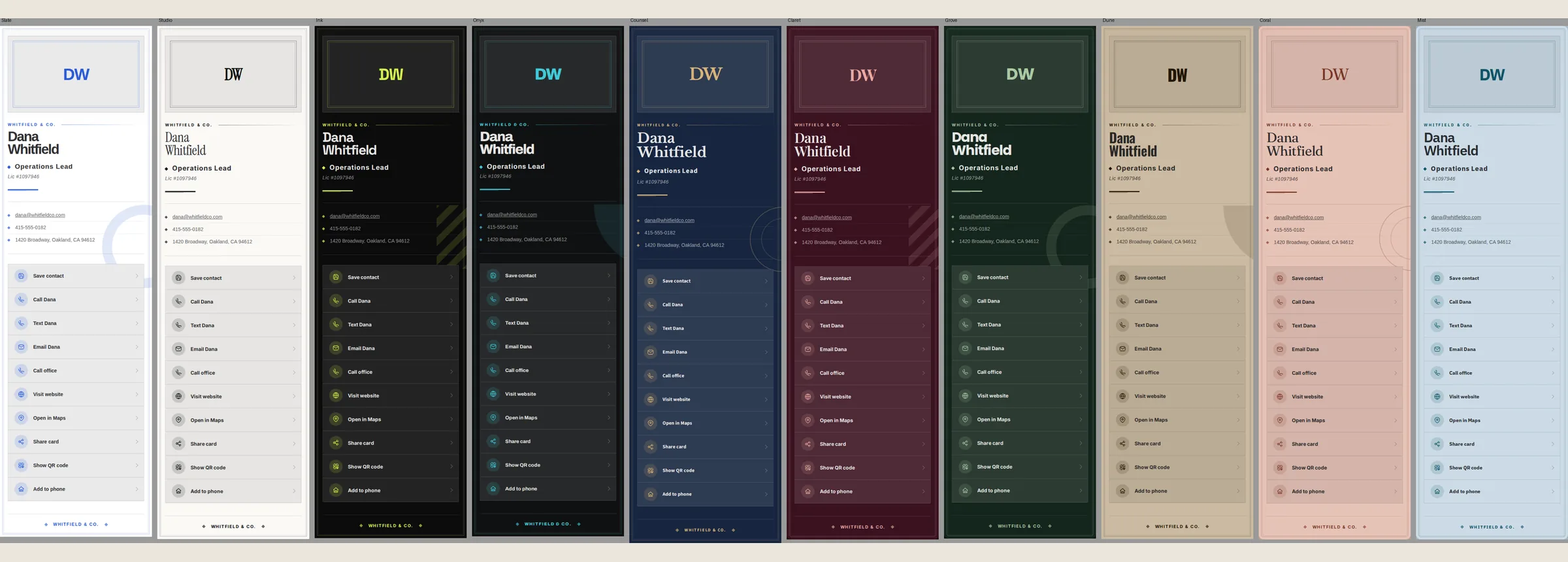
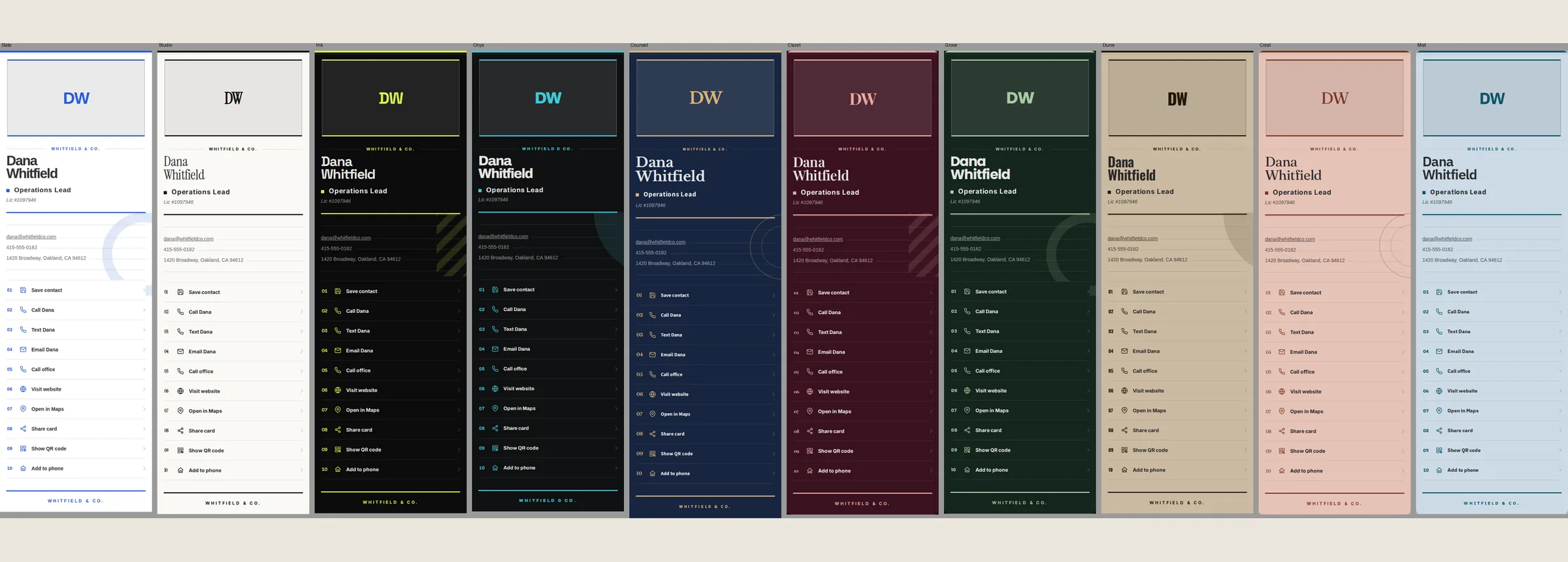
No card, ever Checkout never asks for payment. There is no billing step to skip past and no card on file waiting to charge you later. The free card has no expiry date attached to it.
No countdown Nothing switches off in 14 days. Your card keeps working, keeps its address, and keeps answering the QR code people already scanned. Free is the plan, not the sample.
No hostage data It is a real card, not a preview. Publish it, print the QR on anything you like, and send the link to whoever you want. Nothing is watermarked and nothing is held back.
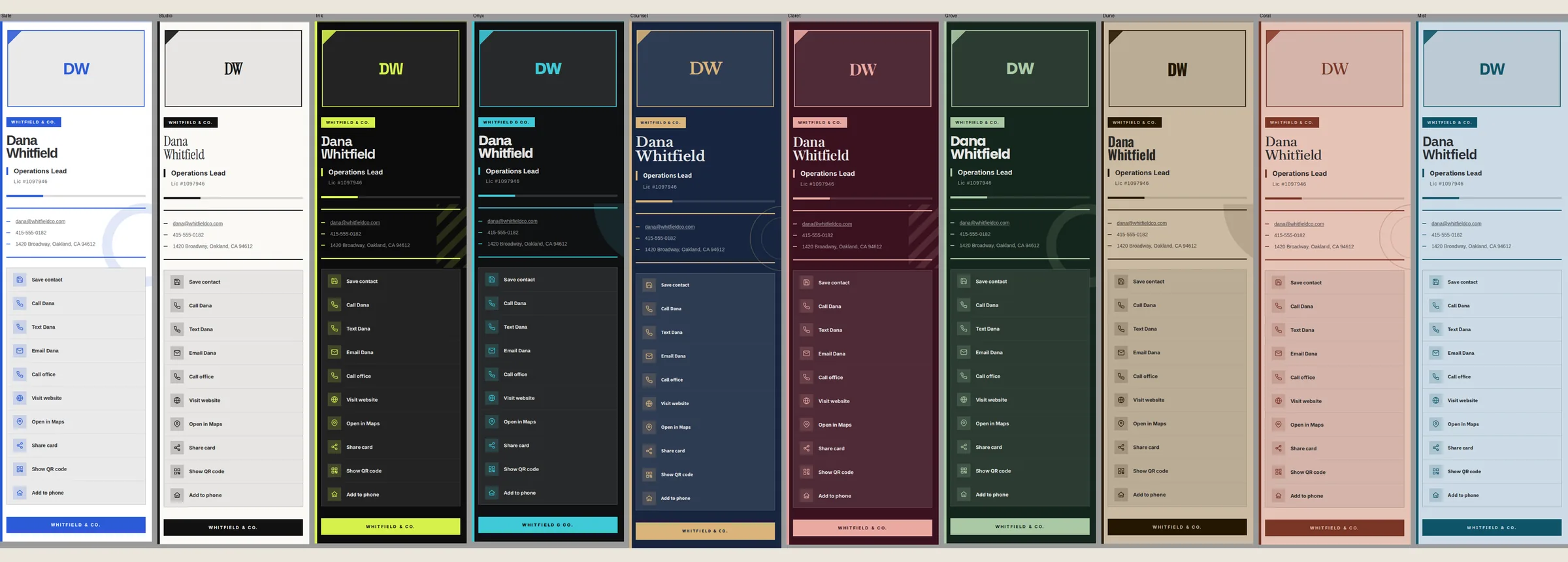
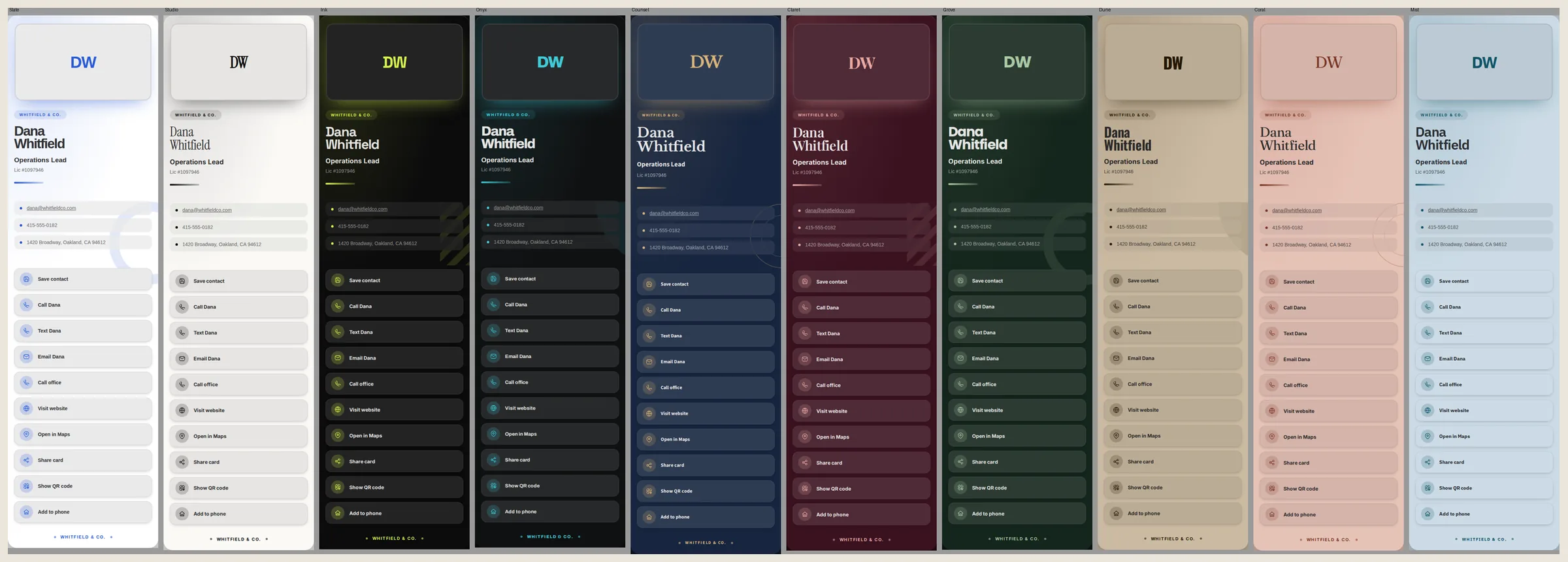
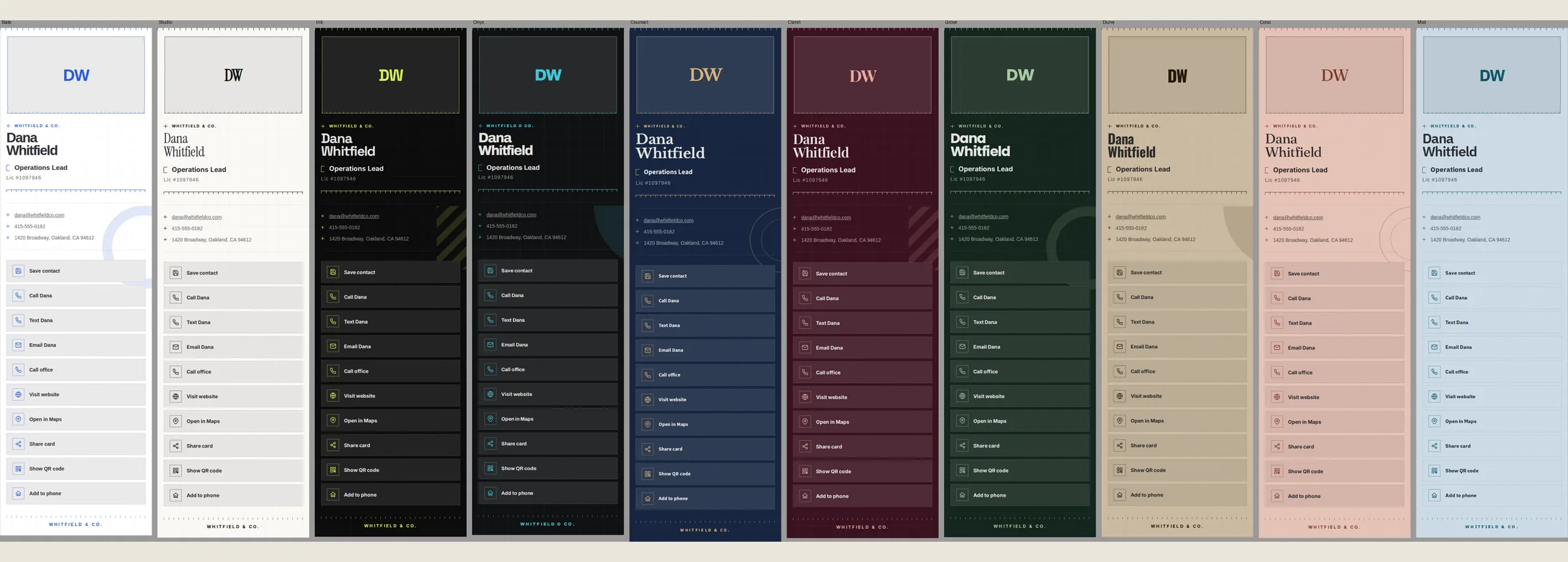
Every theme below is on the free plan — the ten designs and you upload any logo of your choosing. The five ornament systems pictured are separately a part of Solo and Teams.
The ten card themes with the Atelier ornament system The ten card themes with the Gazette ornament system The ten card themes with the Monolith ornament system The ten card themes with the Aura ornament system The ten card themes with the Engrave ornament system
Atelier
What is on the card
01Name & titleYour name and role, front and center, in the theme you picked.
02Full contact cardTap to call, tap to email, tap to save contact right to your phone app automatically. Nobody retypes a number off a photo. Ever.
03Share your cardYour own QR code, scan it across a table or a counter. If that feels off then share your card direct with text, email, airdrop and more.
04Your own logoUpload, shape, resize and publish your own logo. Need a new one? No sweat, remove or replace your logo whenever you want.
How you get it
01

Create your account.

Free, and the same account you would use for a site with us. Under a minute, no consultation, no call to book.

02

Claim your card.

It is already waiting for you. Add your name, title, phone, and email — the details that go on the card.

03

Pick a theme.

All ten, free. Your address on plazasites.com is generated from your business name automatically.

04

Publish.

Private until you say otherwise, then live instantly. Change any detail later — the QR code keeps working.

$0forever
One card · all ten themes · no payment method required
N⁰ 03 · Solo

When the theme is close, but not quite you.

Solo hands you the controls. Same one card, same address, same QR code — except now the ground color, the accent, the font and more are yours to set, down to the exact shade on your company truck, your shop’s sign, or your logo. One person, fully finished.

  • The color wheel. All ten themes are already yours on Free. Solo lets you customize the ground colors, accent, and text color to any shade you want.
  • Fonts, ornaments, logo placement and more. Choose the type treatment, the ornament system, where your logo sits and more instead of accepting any preset.
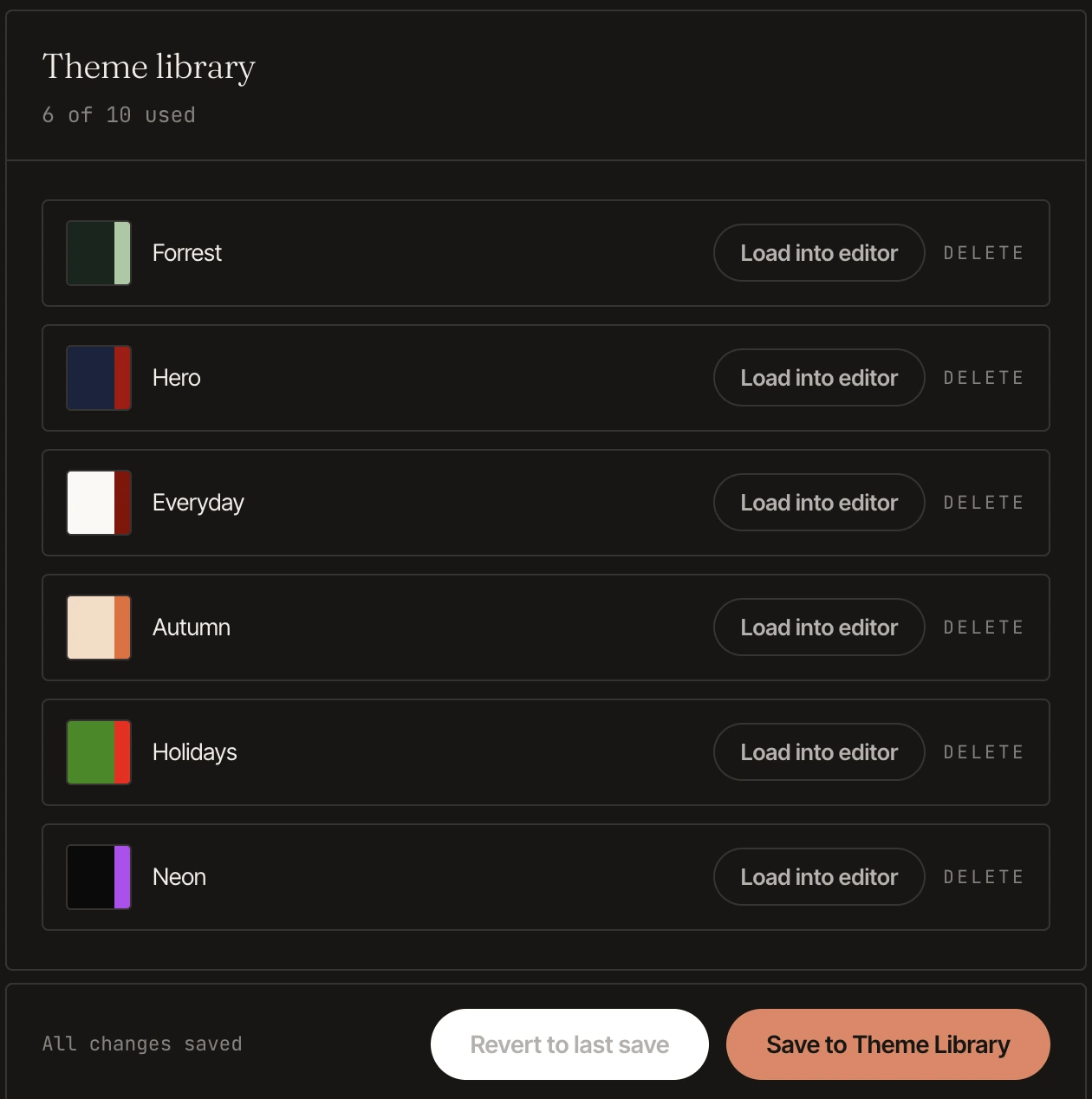
  • Your own theme library. Save up to ten of your own designs and switch between them whenever you like.
  • Your own subdomain. Keep the address we generated, and keep every printed QR code pointing at it.
  • Edited right in your account. No separate dashboard to learn — Solo lives in the same Your Cards panel you already use.
  • Cancel whenever. Stop paying and your card drops back to a free preset at the end of your current billing period. Your card never goes dark.
$2.99 per month

Billed monthly. Cancel anytime.

The Solo theme library in a Plaza account: six saved themes named Forrest, Hero, Everyday, Autumn, Holidays and Neon, each with its two colors and a Load into editor button.
The theme library

Keep the versions you like.

Every look you land on can be saved to your own library, up to ten of them, each one named with its colors on the tile. Load one back into the editor whenever you want it, or delete it and save another in its place. Nothing is locked in, and nothing you have already published changes until you say so.

N⁰ 04 · On the home screen

Your card, sitting on your phone like any other app.

There is nothing to download and no app store to visit. You open your card in your browser once, add it to your home screen, and from then on it is an icon you tap — full screen, no address bar, ready to hand across a table.

Under a minute
To learn it the first time
Under 10 seconds
Every time after that
Three taps
Share, add to home screen, add
  1. Open your card in your browser. Tap your own card link — the one on plazasites.com.
  2. Tap the Share button. The square with the arrow coming out of it. On iOS 27 you may see three dots in the bottom right corner. Tap them, then share.
  3. Choose Add to Home Screen. Scroll the list a little if you do not see it straight away.
  4. Tap Add. The icon appears on your home screen, exactly where you left off.
The card on a home screen — an icon like any other app
N⁰ 05 · Teams

One dashboard. Everybody's card.

Teams is for the shop with six people answering the phone. You set the design once, add your staff, and every card comes out matching — same theme, same ornament, same colors, their own name and number. Somebody starts on Monday, their card is live Monday.

The team dashboard and a finished employee card — a live team on Plaza
01Set the design oncePick the theme, the colors and the ornament at the company level. Every card inherits it, so nothing drifts.
02Add and remove peopleAdd a person with their name, title, phone and email and their card publishes. Remove them and it comes down.
03Edit anyone from one placeChange a number, fix a title, swap a photo — from the dashboard, without asking each person to log in.
04Every card its own addressEach employee gets their own page and QR code under your company's address.
05Solo control, across the teamThe full color wheel and type controls, applied company-wide instead of one card at a time.
06Print once, reprint neverSomebody's number changes and you edit the card. The QR codes already out in the world keep working.
Cards included
$6.99 per month

Up to 5 cards, including yours. Billed monthly, cancel anytime.

N⁰ 06 · Referrals

Refer a friend. You both get a free month of Solo.

Share the referral code in your Plaza account. When a new Cards customer uses it and pays their first invoice, you each receive $2.99 in Plaza credit.

01 · Share

One code, ready in your account.

Your personal Plaza referral code becomes active once you have a paid Plaza service.

02 · Earn

$2.99 for each of you.

The credit is issued after your friend pays their first real Cards invoice.

03 · Save

Automatic on the next bill.

Credit applies to each person's next Plaza invoice. Refer up to nine new Cards customers per year.

Solo monthly is $2.99 per month. On other plans, the same $2.99 credit applies.

Your forever card. Here today.

Real Sites · Real People · Real Business